






For years, businesses protected their data like a medieval castle: build a thick wall (a…
Read More
Every business relies on its IT setup to keep things running smoothly and safe. A surprising 60 percent of UK businesses have discovered unknown or outdated systems during their first infrastructure assessment. Sounds worrying at first. Yet it turns out that spotting these hidden tech relics early could be the smartest move you make for long-term success.
| Key Point | Explanation |
|---|---|
| 1. Assess IT infrastructure regularly | Conduct periodic assessments to identify strengths, weaknesses, and vulnerabilities in your technology ecosystem. |
| 2. Engage departments for specific needs | Collaborate with department heads to map out unique technological requirements for effective IT support. |
| 3. Establish clear reporting protocols | Create a user-friendly system for reporting IT issues, ensuring essential details are captured for efficient resolution. |
| 4. Implement regular maintenance checks | Develop a maintenance schedule to cover hardware, software, and security, preventing potential failures before they occur. |
| 5. Perform ongoing system testing | Regularly verify IT systems for optimal performance through stress testing and user feedback to adapt to evolving needs. |
Assessing your current IT infrastructure is the foundational step in creating a robust support strategy for your business. This critical evaluation provides a comprehensive snapshot of your technological ecosystem, enabling you to identify strengths, weaknesses, and potential vulnerabilities before developing targeted improvements.
Begin by conducting a thorough inventory of all hardware and software systems currently in use across your organisation. This means documenting every computer, server, network device, and critical software application. Pay special attention to older systems that might pose compatibility or security risks. Your inventory should include specific details such as device age, operating system versions, hardware specifications, and current performance metrics.
Start by gathering information from your existing IT team or current support provider. Request comprehensive documentation that details your current technological setup. If such documentation does not exist, this assessment becomes even more crucial. You might need to manually track down information by physically examining devices, checking system properties, and consulting departmental records.
Beyond simple inventory, assess the performance and potential vulnerabilities of your current infrastructure. According to the UK National Cyber Security Centre, regular auditing helps maintain visibility over technological assets. This means conducting performance tests, checking system update statuses, and identifying potential security gaps.
Key verification points for a successful infrastructure assessment include:
Remember that this assessment is not a one-time event but an ongoing process. Technology evolves rapidly, and your infrastructure evaluation should be repeated periodically to ensure continued efficiency and security. By meticulously documenting and understanding your current technological environment, you create a solid foundation for developing a comprehensive IT support strategy that can adapt and grow with your business needs.
Below is a checklist table consolidating key verification points for each major step of the IT support process, helping ensure nothing essential is overlooked.
| Step | Verification Point | Completion (Yes/No) |
|---|---|---|
| Assess Infrastructure | Document all IT assets | |
| Assess Infrastructure | Record performance benchmarks | |
| Assess Infrastructure | Identify outdated or unsupported technologies | |
| Identify Support Requirements | Document departmental technology needs | |
| Identify Support Requirements | Define escalation and support responsibilities | |
| Communication Protocols | Create standardised reporting template | |
| Communication Protocols | Centralise ticketing/issue tracking system | |
| Maintenance Checks | Establish maintenance schedule | |
| Maintenance Checks | Automate patch management | |
| System Verification & Testing | Baseline and stress test system performance | |
| System Verification & Testing | Collect user experience feedback |
Identifying support requirements and responsibilities is a critical step in creating a comprehensive IT support strategy that aligns with your business objectives. This process involves understanding the unique technological needs of each department, mapping out potential support scenarios, and establishing clear lines of communication and accountability.
Begin by engaging with each department to understand their specific technological requirements and pain points. This collaborative approach ensures that your IT support strategy addresses real-world challenges faced by different teams. Schedule individual meetings with department heads to discuss their current technological workflows, frequent challenges, and future technology expectations.
Consider the distinct needs across various business functions. A marketing team might require robust design software and high-performance graphics capabilities, while the finance department may need secure systems for handling sensitive financial data.
Your support strategy must be flexible enough to accommodate these diverse technological requirements while maintaining a cohesive overall approach.
Once you have mapped out departmental needs, develop a clear framework for IT support responsibilities. This includes defining escalation procedures, response time expectations, and specific support channels. According to Gartner Research, establishing clear support protocols can significantly improve organisational efficiency and reduce downtime.
Key verification points for identifying support requirements include:
Remember that support requirements are not static. Technology evolves, and so do business needs. Implement a regular review process to reassess and adjust your support strategy. This might involve quarterly meetings with department heads, annual technology audits, and continuous feedback mechanisms. By creating a dynamic and responsive IT support framework, you ensure that your technological infrastructure remains aligned with your business goals and can adapt to emerging challenges and opportunities.
Establishing clear communication protocols for IT issues is crucial in creating a responsive and efficient support system. This step transforms how your organisation manages technological challenges, ensuring that problems are reported, tracked, and resolved with minimal disruption to business operations.
Begin by designing a structured approach to reporting and managing IT issues that is both comprehensive and user-friendly. The goal is to create a communication system that simplifies problem reporting while providing your IT team with sufficient detail to diagnose and resolve issues quickly. This means developing a standardised method for employees to communicate technical problems that captures essential information without overwhelming staff with complex reporting requirements.
Implement a centralised reporting mechanism that allows employees to log issues through multiple channels. Consider creating a dedicated IT support email address, an online ticketing system, and potentially a direct support phone line for urgent matters. According to ITIL Foundation Guidelines, having multiple communication channels increases accessibility and improves overall issue resolution efficiency.
Your communication protocol should include clear guidelines on how to report different types of IT issues. Employees need to understand the distinction between urgent technical problems that require immediate attention and routine maintenance requests. Develop a simple classification system that helps staff quickly determine the appropriate reporting method. For instance, a complete system failure would warrant an immediate phone call, while a minor software glitch could be reported through an online ticket.
The following table provides a summary of IT issue reporting channels and their suitability for different types of problems, allowing staff to quickly determine the appropriate method for their needs.
| Reporting Channel | Suitable For | Response Time Expectation |
|---|---|---|
| IT Support Email | Minor software issues, non-urgent requests | 1-2 business days |
| Online Ticketing System | Routine maintenance, general IT support queries | Within standard SLA |
| Direct Support Phone | System failures, urgent technical disruptions | Immediate |
| In-person (IT Desk) | Hands-on troubleshooting required | As soon as available |
| Internal Messaging App | Quick questions, status updates, informal advice | Within a few hours |
Key verification points for establishing communication protocols include:
Remember that communication protocols are not static documents. Regular review and refinement are essential to ensure the system remains effective. Schedule quarterly reviews of your IT support communication strategy, gathering feedback from both employees and IT staff. This iterative approach allows you to identify bottlenecks, streamline reporting processes, and continuously improve your organisation’s technological support infrastructure.
Implementing regular maintenance checks is a proactive approach to preserving your organisation’s technological health and preventing potential system failures. This critical step goes beyond reactive troubleshooting, focusing instead on identifying and addressing potential issues before they disrupt your business operations.
Systematic maintenance checks require a structured and comprehensive approach that covers hardware, software, network infrastructure, and cybersecurity measures. Begin by developing a detailed maintenance calendar that outlines specific checks to be performed daily, weekly, monthly, and quarterly. This scheduling ensures that no critical system components are overlooked and that your technological infrastructure remains robust and reliable.
Start with hardware maintenance, which involves physically inspecting computer systems, servers, and network equipment. Check for signs of physical wear, dust accumulation, or potential cooling issues that might impact system performance. Verify cable connections, examine server room environmental conditions, and ensure that all physical components are functioning correctly. Clean hardware components regularly and replace any equipment showing signs of significant wear or potential failure.
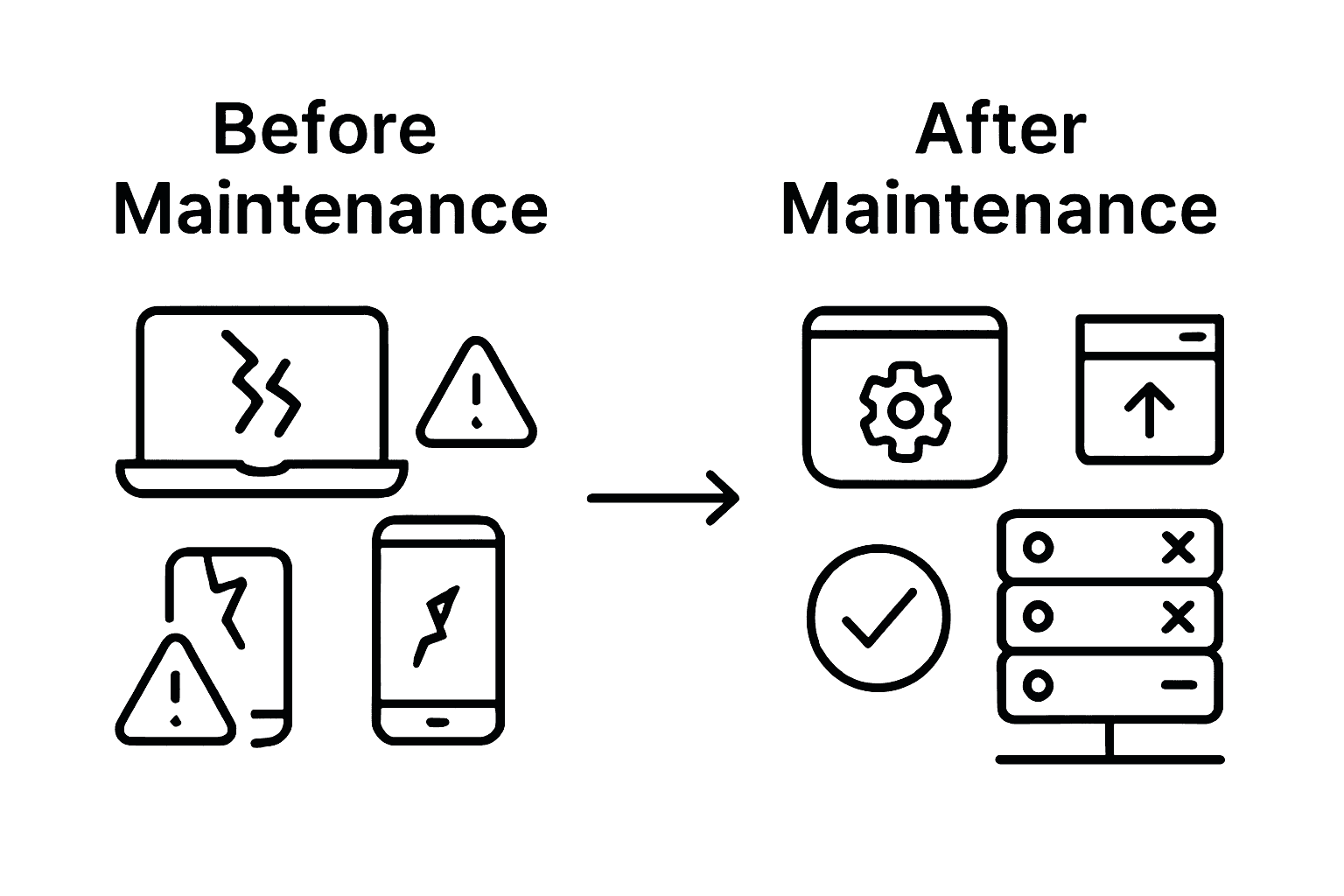
According to the National Cyber Security Centre, scheduled patch management and system updates are crucial preventive maintenance activities. Implement an automated patch management system that ensures all software and operating systems receive timely updates. These updates not only introduce new features but also address security vulnerabilities and improve overall system stability.
Key verification points for implementing maintenance checks include:
Remember that maintenance is an ongoing process requiring continuous attention and adaptation. Create a flexible framework that allows for adjustments based on technological changes and emerging business requirements. Regularly review and refine your maintenance strategy, incorporating feedback from IT staff and monitoring technological advancements. By treating maintenance as a dynamic and integral part of your IT support strategy, you protect your technological investments and ensure consistent, reliable performance across your organisation.
Verifying and testing IT systems for optimal performance is a critical phase that transforms your technological infrastructure from functional to exceptional. This step involves comprehensive diagnostic processes that go beyond surface-level assessments, diving deep into system capabilities, potential vulnerabilities, and performance bottlenecks.
Performance testing requires a systematic approach that examines multiple dimensions of your technological ecosystem. Begin by establishing baseline performance metrics for each critical system, which will serve as a reference point for future evaluations. This means measuring current system response times, processing speeds, network bandwidth, and resource utilisation across different departments and applications.
Conduct thorough stress testing to understand how your systems perform under extreme conditions. Simulate scenarios that push your technological infrastructure to its limits, such as simultaneous multi-user access, large data processing tasks, or complex computational requirements. These tests reveal potential weaknesses before they become critical failures. Pay special attention to systems that support core business functions, ensuring they can maintain performance during peak operational periods.
According to Gartner Research, comprehensive system verification involves both quantitative performance metrics and qualitative user experience assessments. This means combining technical diagnostics with direct feedback from employees who interact with these systems daily. Schedule structured feedback sessions where staff can describe their experiences, highlighting any performance issues or usability challenges that might not be immediately apparent through automated testing.
Key verification points for testing IT systems include:
Remember that system verification is not a one-time event but an ongoing process. Implement a continuous monitoring approach that allows for real-time performance tracking and immediate intervention when anomalies are detected. Regularly update your testing protocols to incorporate emerging technologies and evolving business requirements. By treating system verification as a dynamic and integral part of your IT support strategy, you create a resilient technological environment that adapts and grows alongside your organisation.

Keeping your business secure and efficient in 2025 presents more challenges than ever. Outdated hardware, recurring downtime, and growing cyber risks can hold back even the most ambitious SME. You have followed the checklist—assessing your infrastructure, setting communication protocols, and implementing regular maintenance—but managing all this in-house is draining time, resources, and energy.
Discover proven insights, fresh IT Tips and Tricks, and tailored strategies trusted by Lancashire businesses. See how easy it can be to enhance infrastructure, protect data, and streamline operations—while staying one step ahead of tomorrow’s risks.

Take your IT support to the next level. Let J700 Group remove the hassle so you can focus on growth. Reach out today for a friendly, no-obligation consultation through our contact page and explore our expertise in Connectivity and Microsoft solutions. Secure your business now—because the right support partner makes all the difference for a confident 2025 and beyond.
An essential IT support checklist should include assessing current IT infrastructure, identifying departmental support requirements, establishing clear communication protocols, implementing regular maintenance checks, and verifying system performance through testing.
Businesses should perform IT infrastructure assessments periodically, ideally at least annually, to ensure their technology remains secure and efficient. Regular reviews allow for the identification of new vulnerabilities and the adaptation of support strategies to meet changing business needs.
To set up effective IT communication protocols, create a standardised issue reporting template, implement a centralised ticketing system, and develop clear guidelines for reporting various IT issues, including response times and escalation procedures.
Regular maintenance checks are crucial because they help prevent potential system failures, maintain optimal performance, and ensure that both hardware and software are updated and secure, ultimately protecting your organisation’s technological investments.
For years, businesses protected their data like a medieval castle: build a thick wall (a…
Read More
For many small and medium-sized businesses, cybersecurity is still viewed as an IT problem. Firewalls,…
Read More
Cloud technology is no longer a luxury or a cost-saving alternative to on-site servers. For…
Read More
Remember when we jokingly wondered if Apple was borrowing our name? Well, the rumours were…
Read More
AI hasn’t just changed the way we work, it has completely rewritten the rulebook for…
Read More
For many businesses, the office phone is like part of the furniture, it’s always there,…
Read More
We are thrilled to announce a significant milestone in the J700 Group journey. To keep…
Read More
For years, many small and medium-sized business owners in the North West have operated under…
Read More
In a modern healthcare setting, the stethoscope and the blood pressure cuff aren’t the only…
Read More
When people hear the word cybersecurity, they often imagine complex systems, expensive software and specialist…
Read More
As we count down to midnight, most of us are thinking about gym memberships or…
Read More
It’s Christmas Eve in Lancashire. The Preston bypass is a nightmare, the last-minute dash to…
Read More
For many businesses, the Christmas period means quieter offices, reduced staffing and systems left running…
Read More
Or: Why we’d like to have a word with Tim Cook this Christmas. There are…
Read More
Hackers Love Christmas: Learn Why your Business Could be at Risk This Holiday SeasonThe festive…
Read More
In recent months, high-profile companies like Land Rover and Co-op have made headlines due to…
Read More
Explore 7 essential tips for effective cloud solutions comparison to find the best fit for…
Read More
Learn how to secure business data for UK SMEs with this step-by-step guide focused on…
Read More
Cybersecurity basics explained for UK businesses—core concepts, major threats, essential safeguards, and compliance requirements. A…
Read More
Discover the essential role of IT support desks, core functions, key benefits, types of support,…
Read More
Discover 10 microsoft 365 alternatives for UK SMEs, comparing features and benefits to help your…
Read More
Discover the best microsoft 365 alternatives in our comparison of 10 top products to enhance…
Read More
Discover a business connectivity checklist with 7 actionable steps to boost IT reliability, security, and…
Read More
Discover 7 essential business continuity planning steps to protect your SME. Learn practical strategies for…
Read More
Small Business Office 365 comprehensive guide for UK SMEs: core features, setup process, security essentials,…
Read More
Small Business Office 365 guide for UK firms. Learn core features, setup, security, costs, and…
Read More
Small business Office 365 guide covering essential features, security, costs, local support, and practical benefits…
Read More
Follow this cybersecurity checklist for SMEs to secure your business in Lancashire and Manchester. Step-by-step…
Read More
Follow this cybersecurity checklist for SMEs to boost protection, reduce risks, and secure business data…
Read More
Cloud security explained: A comprehensive guide for UK businesses covering threat types, protection strategies, compliance,…
Read More
Data protection strategies for UK SMEs—types, key components, GDPR compliance, business risks, and best practices…
Read More
Why cybersecurity matters for UK businesses: core concepts, main risks, common threats, legal requirements, and…
Read More
Comprehensive guide to IT issues Lancashire businesses face, including security threats, system downtime, cloud solutions,…
Read More
Comprehensive guide on cyber security threats in the UK. Learn common types, key characteristics, real-world…
Read More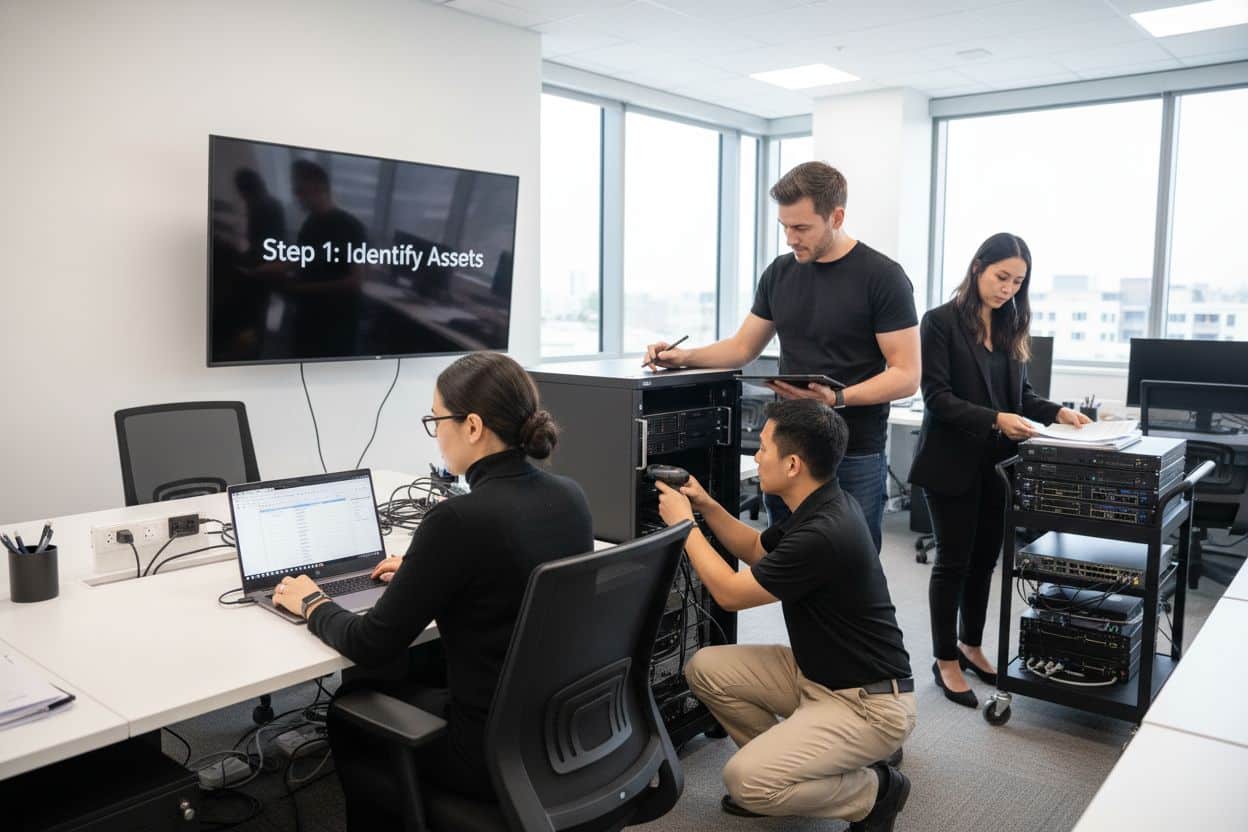
Follow this IT security checklist for a step-by-step process to secure your business effectively in…
Read More
Explore the benefits of managed IT services for businesses in Manchester and Lancashire, enhancing efficiency…
Read More
Explore the role of cybersecurity in business. Understand its importance, how it works, and key…
Read More
Discover 7 key advantages of Microsoft 365 for SMEs that can enhance productivity, collaboration, and…
Read More
Explore why use managed IT services and how they benefit businesses. Gain comprehensive insights on…
Read More
Comprehensive guide explaining cyber threats, focusing on their importance, how they work, and the key…
Read More
I think the admin of this site is really working hard for his web site, as here every information is quality based material.
We really appreciate that feedback. Providing quality, actionable information is our top priority. Thanks for being part of our community!