



For years, businesses protected their data like a medieval castle: build a thick wall (a…
Read More
Every business runs on technology, yet so many leave their digital defences on autopilot. Shockingly, around 60 percent of data breaches happen because of unpatched software. Most people blame hackers and viruses for company meltdowns, but the real problem is much simpler. Overlooked system maintenance habits leave businesses more exposed than any cybercriminal ever could.
| Takeaway | Explanation |
|---|---|
| Regularly update software and systems | Consistent updates close security gaps and boost performance, protecting against cyber threats. |
| Implement a multi-layered backup strategy | This ensures data is protected across different locations and mediums, reducing loss risks dramatically. |
| Conduct proactive network security monitoring | Continuous surveillance helps to identify and mitigate emerging cyber threats effectively. |
| Educate employees on cybersecurity practices | Ensuring staff are trained reduces human error, a major factor in security breaches. |
| Create and follow a structured IT maintenance schedule | A planned approach minimizes downtime and enhances overall system reliability and security efficiency. |
Software updates are not merely optional improvements but critical safeguards for your business’s digital infrastructure. Neglecting these updates exposes your organisation to significant cybersecurity risks and potential system vulnerabilities.
Outdated software creates dangerous entry points for cybercriminals, potentially compromising sensitive business data. Regular updates patch security holes, enhance system performance, and protect against emerging digital threats.
Key considerations for effective software maintenance include:
According to Cybersecurity Ventures, approximately 60% of data breaches involve unpatched software vulnerabilities. This statistic underscores the paramount importance of consistent system updates as a fundamental IT maintenance strategy.
Your update strategy should encompass multiple technology layers: operating systems, antivirus programmes, productivity software, and specialised business applications. Each represents a potential vulnerability if left unattended.
Prioritise updates from reputable sources and always backup critical data before implementing major system changes. Systematic, planned updates minimise disruption while maximising your organisation’s digital security and operational efficiency.
For small to medium enterprises, establishing a structured update protocol can significantly reduce the risk of unexpected system failures and potential cyber incidents.
Data is the lifeblood of modern businesses, and comprehensive backup strategies are no longer optional but essential for survival. A single data loss incident can devastate your organisation’s operations, potentially causing irreparable financial and reputational damage.
Businesses must adopt a multi-layered backup approach that protects critical information across different storage mediums and locations. This strategy ensures resilience against various potential disruption scenarios, from hardware failures to cybersecurity threats.
Critical backup considerations include:
According to National Cyber Security Centre, organisations that implement robust backup strategies can reduce potential data loss risks by up to 90%. This underscores the critical nature of systematic data protection.
Your backup strategy should differentiate between incremental backups (capturing only changed data) and full system backups (complete system snapshots). This approach optimises storage efficiency while ensuring comprehensive data protection.
Consider implementing the 3-2-1 backup rule: maintain three copies of data, on two different storage types, with one copy stored securely offsite or in a cloud environment. This methodology provides comprehensive protection against potential data loss scenarios.
Remember that backup processes are not a one-time implementation but require continuous monitoring, updating, and testing to remain effective in an evolving technological landscape.
Network security represents a dynamic battlefield where businesses must remain constantly vigilant against sophisticated cyber threats. Proactive monitoring transforms your digital infrastructure from a potential vulnerability into a robust defensive ecosystem.
Understanding network vulnerabilities requires comprehensive surveillance and intelligent threat detection mechanisms. Cybercriminals continuously evolve their strategies, making passive security approaches obsolete.
Key network security monitoring priorities include:
According to UK National Cyber Security Centre, organisations experiencing consistent network monitoring reduce potential security breaches by approximately 70%. This statistic highlights the profound impact of systematic network surveillance.
Modern network security demands a multilayered approach that integrates technological solutions with human expertise. Automated monitoring tools should complement skilled cybersecurity professionals who can interpret complex network signals and respond to emerging threats.
Your monitoring strategy must encompass both internal and external network segments. This includes examining potential vulnerabilities in remote access points, cloud infrastructure, and employee devices. Endpoint protection has become increasingly critical as workforce mobility and hybrid working models expand traditional network perimeters.
Remember that network security is not a static configuration but a continuous process of assessment, adaptation, and improvement. Regular vulnerability assessments, penetration testing, and security audits are essential components of a comprehensive network protection strategy.
System audits are strategic diagnostic processes that reveal hidden performance limitations, security weaknesses, and potential operational inefficiencies within your technological infrastructure. A comprehensive audit goes far beyond a cursory check, providing deep insights into your organisation’s digital health.
Systematic documentation of your technological ecosystem becomes crucial during these assessments. Without precise mapping of hardware, software, and network configurations, organisations remain vulnerable to unexpected system failures and performance degradations.
Critical audit considerations include:
According to Gartner Research, businesses that conduct regular comprehensive system audits can reduce operational IT costs by up to 30% while simultaneously improving system reliability.
A thorough audit process should examine multiple technological dimensions: hardware performance, software compatibility, security configurations, and network infrastructure. This holistic approach ensures that no critical component escapes detailed scrutiny.
Effective audits require both automated diagnostic tools and experienced human analysis. Automated scanning provides quantitative data, while skilled IT professionals interpret these metrics, understanding nuanced technological interdependencies that algorithms might miss.
Regular auditing is not about finding fault but about proactive improvement. By consistently examining your technological infrastructure, you transform potential weaknesses into opportunities for strategic enhancement and optimisation.
In the complex landscape of digital security, employees represent both the strongest defence and the most significant potential vulnerability for an organisation. Human error remains a primary contributor to cybersecurity incidents, making comprehensive employee education an essential strategic imperative.
Technological safeguards alone cannot protect an organisation from sophisticated cyber threats. Employees must become active participants in maintaining robust digital security protocols.
Key training focus areas include:
According to IBM Security Intelligence, approximately 95% of cybersecurity breaches result from human error, highlighting the critical importance of continuous employee education.
A comprehensive training programme should move beyond traditional lecture-based approaches. Interactive workshops, simulated cyber threat scenarios, and regular knowledge assessments can transform passive learning into active skill development.
Organisations must create a culture of security awareness where employees understand their individual responsibility in protecting digital assets. This involves developing clear, accessible communication strategies that demystify complex technological concepts and make cybersecurity principles engaging and comprehensible.
Regular refresher training, practical demonstrations of potential security risks, and creating an open reporting environment will empower employees to become proactive guardians of your organisation’s digital infrastructure.
Physical maintenance of technological equipment is often overlooked, yet it plays a crucial role in ensuring optimal system performance and longevity. Dust, debris, and environmental factors can significantly impact hardware functionality, leading to unexpected system failures and reduced operational efficiency.
Regular hardware maintenance goes beyond cosmetic cleaning, representing a strategic approach to preserving your technological investments. Proper care can extend equipment lifespan and prevent costly replacements.
Essential hardware maintenance practices include:
According to PC World Technical Research, consistent hardware maintenance can extend equipment operational life by up to 40%, representing substantial cost savings for businesses.
Electrostatic discharge represents a significant risk during hardware maintenance. Technicians should use grounding straps and work on static-free surfaces to prevent potential damage to sensitive electronic components.
Specialised cleaning tools and techniques differ across various hardware types. Desktop computers, servers, network equipment, and mobile devices each require specific maintenance approaches. Understanding these nuanced requirements prevents accidental damage during cleaning processes.
Establishing a structured hardware maintenance schedule transforms reactive repair strategies into proactive preservation techniques. This approach minimises unexpected downtime, ensures consistent performance, and protects your organisation’s technological infrastructure.
IT monitoring tools transform reactive technological management into proactive strategic planning. These sophisticated solutions provide real-time insights into system performance, network health, and potential vulnerabilities, enabling businesses to anticipate and address technological challenges before they escalate.
Comprehensive monitoring goes beyond simple performance tracking, offering nuanced diagnostic capabilities that reveal complex interconnections within your technological infrastructure. By leveraging advanced monitoring solutions, organisations can maintain optimal operational efficiency.
Key monitoring tool capabilities include:
According to Gartner Research, organisations implementing advanced monitoring tools can reduce unplanned downtime by up to 50% and improve overall system reliability.
Beyond technical metrics, these tools provide strategic insights for understanding digital workplace dynamics. They enable businesses to balance performance monitoring with employee privacy and productivity considerations.
Advanced monitoring tools integrate artificial intelligence and machine learning algorithms, transforming raw data into actionable intelligence. Predictive analytics allow businesses to anticipate potential system failures, schedule maintenance proactively, and allocate technological resources more efficiently.
The most effective monitoring strategies combine automated tools with skilled human interpretation. Technology provides the data, but experienced IT professionals translate these insights into meaningful strategic actions that drive business performance.
A strategic IT maintenance schedule transforms reactive technological management into a proactive, systematic approach. Structured scheduling ensures consistent system performance, minimises unexpected downtime, and protects your organisation’s digital infrastructure from potential vulnerabilities.
Effective maintenance schedules require comprehensive planning that anticipates both routine tasks and potential emergency interventions. This approach goes beyond simple calendar marking, representing a holistic strategy for technological resilience.
Critical maintenance schedule components include:
According to UK National Cyber Security Centre, organisations with structured maintenance schedules reduce potential security incidents by approximately 65%, demonstrating the profound impact of systematic technological management.
Flexibility remains key in maintenance scheduling. While consistency is crucial, your maintenance plan must accommodate emerging technological changes, new security threats, and evolving business requirements. Rigid schedules can become counterproductive if they cannot adapt to dynamic technological landscapes.
Consider developing tiered maintenance priorities. Some tasks require immediate attention, while others can be scheduled during less critical operational periods. This nuanced approach ensures minimal disruption to daily business activities while maintaining robust technological health.
A well-designed maintenance schedule is a living document. Regular review and adjustment based on performance metrics, technological advancements, and organisational growth will ensure your IT infrastructure remains resilient, secure, and optimally functional.
Below is a comprehensive table summarising the essential IT maintenance tips discussed in this article, providing business owners with a clear overview of each key area, its focus, and the primary benefit.
| IT Maintenance Aspect | Key Focus | Main Benefit |
|---|---|---|
| Regular Software & System Updates | Implement automatic, multi-layered updates | Closes security gaps and boosts performance |
| Multi-Layered Data Backups | Automatic, tested backups (local, cloud, offsite) | Dramatically reduces risk of data loss |
| Network Security Monitoring | Real-time intrusion detection and threat surveillance | Early identification and mitigation of threats |
| Comprehensive System Audits | Inventory, configuration, and compliance checks | Reduces IT costs, exposes vulnerabilities |
| Employee Cybersecurity Education | Active training on security best practices | Minimises human error and enhances digital safety |
| Hardware Cleaning & Equipment Care | Routine physical cleaning and inspection | Extends hardware lifespan, prevents failures |
| IT Monitoring Tools | Real-time system and network performance analytics | Uncovers issues before they cause downtime |
| Structured IT Maintenance Schedule | Scheduled, tiered approach for all maintenance tasks | Ensures reliability and minimises unexpected risks |
Are you feeling overwhelmed by patching security holes, handling system audits or struggling with backup processes? This article makes it clear how vital proactive IT maintenance is for your business, but putting best practices into action can be a real challenge without the right support. For more practical advice and tips, visit our IT Tips and Tricks section, where our experienced Lancashire team shares their knowledge on building robust digital defences and streamlined operations.

Do not let outdated systems or missed maintenance put your business at risk. With J700 Group, you get local expertise in managed IT services, cybersecurity and reliable connectivity to give you peace of mind. Ready to protect your business and start saving on costly downtime? Get in touch through our contact page and see how our proactive IT support can make all the difference.
Regular software updates patch vulnerabilities, enhance system performance, and protect against emerging threats, reducing the risk of data breaches significantly.
Businesses should establish automatic backup schedules and regularly test restoration processes to ensure data protection against various potential disruptions.
A robust network monitoring strategy should include real-time intrusion detection systems, advanced firewall configurations, regular traffic analysis, and user access monitoring.
Employee education is crucial as human error is a primary contributor to cybersecurity breaches. Training helps staff recognise threats and implement best practices for digital security.
For years, businesses protected their data like a medieval castle: build a thick wall (a…
Read More
For many small and medium-sized businesses, cybersecurity is still viewed as an IT problem. Firewalls,…
Read More
Cloud technology is no longer a luxury or a cost-saving alternative to on-site servers. For…
Read More
Remember when we jokingly wondered if Apple was borrowing our name? Well, the rumours were…
Read More
AI hasn’t just changed the way we work, it has completely rewritten the rulebook for…
Read More
For many businesses, the office phone is like part of the furniture, it’s always there,…
Read More
We are thrilled to announce a significant milestone in the J700 Group journey. To keep…
Read More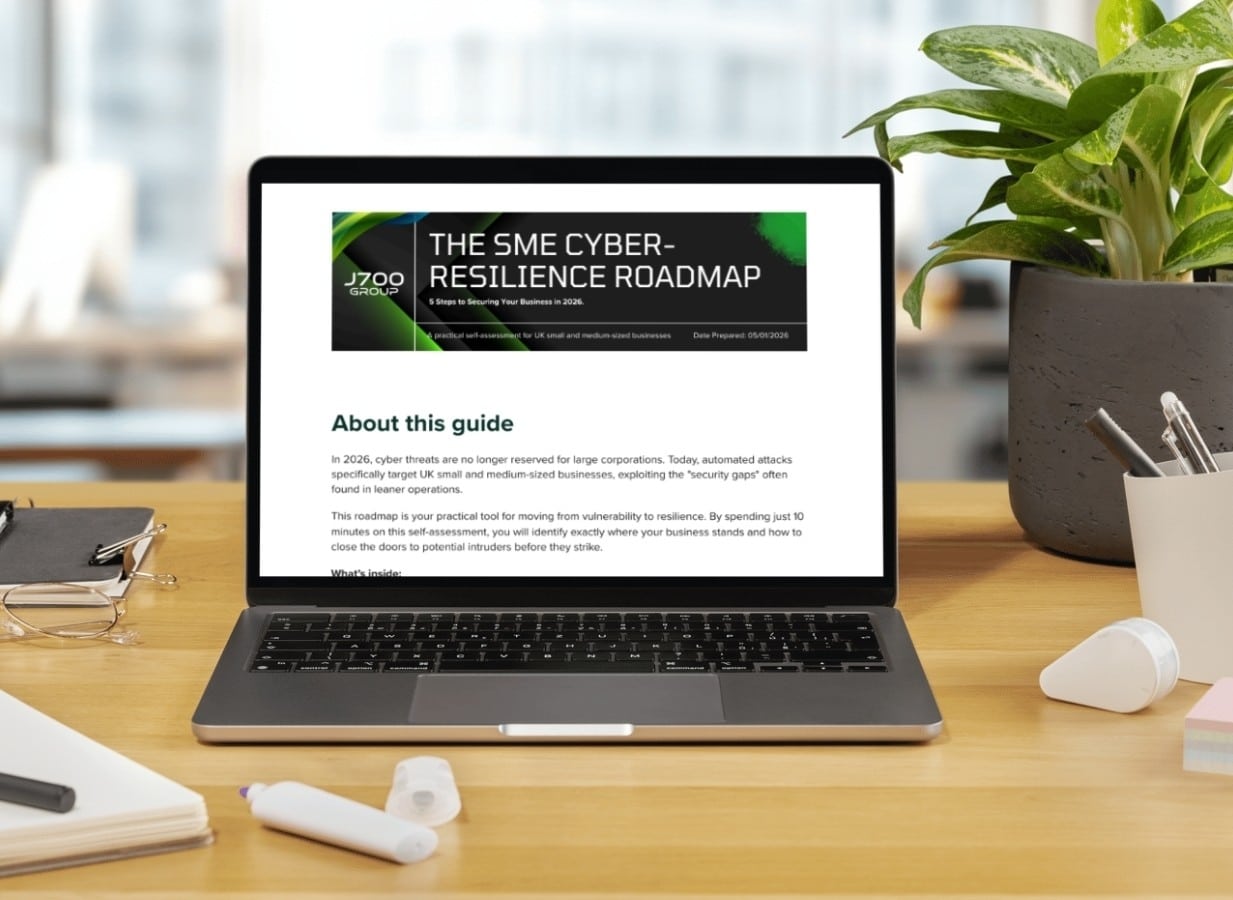
For years, many small and medium-sized business owners in the North West have operated under…
Read More
In a modern healthcare setting, the stethoscope and the blood pressure cuff aren’t the only…
Read More
When people hear the word cybersecurity, they often imagine complex systems, expensive software and specialist…
Read More
As we count down to midnight, most of us are thinking about gym memberships or…
Read More
It’s Christmas Eve in Lancashire. The Preston bypass is a nightmare, the last-minute dash to…
Read More
For many businesses, the Christmas period means quieter offices, reduced staffing and systems left running…
Read More
Or: Why we’d like to have a word with Tim Cook this Christmas. There are…
Read More
Hackers Love Christmas: Learn Why your Business Could be at Risk This Holiday SeasonThe festive…
Read More
In recent months, high-profile companies like Land Rover and Co-op have made headlines due to…
Read More
Explore 7 essential tips for effective cloud solutions comparison to find the best fit for…
Read More
Learn how to secure business data for UK SMEs with this step-by-step guide focused on…
Read More
Cybersecurity basics explained for UK businesses—core concepts, major threats, essential safeguards, and compliance requirements. A…
Read More
Discover the essential role of IT support desks, core functions, key benefits, types of support,…
Read More
Discover 10 microsoft 365 alternatives for UK SMEs, comparing features and benefits to help your…
Read More
Discover the best microsoft 365 alternatives in our comparison of 10 top products to enhance…
Read More
Discover a business connectivity checklist with 7 actionable steps to boost IT reliability, security, and…
Read More
Discover 7 essential business continuity planning steps to protect your SME. Learn practical strategies for…
Read More
Small Business Office 365 comprehensive guide for UK SMEs: core features, setup process, security essentials,…
Read More
Small Business Office 365 guide for UK firms. Learn core features, setup, security, costs, and…
Read More
Small business Office 365 guide covering essential features, security, costs, local support, and practical benefits…
Read More
Follow this cybersecurity checklist for SMEs to secure your business in Lancashire and Manchester. Step-by-step…
Read More
Follow this cybersecurity checklist for SMEs to boost protection, reduce risks, and secure business data…
Read More
Cloud security explained: A comprehensive guide for UK businesses covering threat types, protection strategies, compliance,…
Read More
Data protection strategies for UK SMEs—types, key components, GDPR compliance, business risks, and best practices…
Read More
Why cybersecurity matters for UK businesses: core concepts, main risks, common threats, legal requirements, and…
Read More
Comprehensive guide to IT issues Lancashire businesses face, including security threats, system downtime, cloud solutions,…
Read More
Comprehensive guide on cyber security threats in the UK. Learn common types, key characteristics, real-world…
Read More
Follow this IT security checklist for a step-by-step process to secure your business effectively in…
Read More
Explore the benefits of managed IT services for businesses in Manchester and Lancashire, enhancing efficiency…
Read More
Explore the role of cybersecurity in business. Understand its importance, how it works, and key…
Read More
Discover 7 key advantages of Microsoft 365 for SMEs that can enhance productivity, collaboration, and…
Read More
Explore why use managed IT services and how they benefit businesses. Gain comprehensive insights on…
Read More
Comprehensive guide explaining cyber threats, focusing on their importance, how they work, and the key…
Read More