



For years, businesses protected their data like a medieval castle: build a thick wall (a…
Read More
Every business today relies on a sprawling web of technology to keep things running smoothly. Yet figures show that nearly 60 percent of firms never fully catalogue their IT assets or properly map data sensitivity. Most people think the biggest threats come from high-tech hackers and complex malware attacks. The real danger often starts with something much simpler and far more common. Missing one device or forgetting how sensitive a file is can expose your entire company to risks you never saw coming.
| Key Point | Explanation |
|---|---|
| 1. Identify all IT assets | Conduct a thorough inventory of every technology asset, documenting relevant details like configurations and serial numbers. |
| 2. Assess security protocols thoroughly | Evaluate existing security measures to uncover vulnerabilities and prioritize updates based on identified risks. |
| 3. Implement multi-layered security | Use overlapping security measures like firewalls and intrusion detection to create a robust defence framework. |
| 4. Educate employees continuously | Develop engaging training programs that raise awareness about security breaches and promote safe practices. |
| 5. Regularly test and refine strategies | Establish a continuous improvement process with systematic testing and adaptations to counter evolving threats. |
Building a robust IT security checklist begins with understanding precisely what technology resources your business owns and how sensitive your data actually is. This foundational step requires a methodical approach to cataloguing every digital and physical technology asset while simultaneously assessing potential vulnerability points.
Start by conducting a comprehensive technology inventory that goes beyond simply listing hardware. Capture every device connected to your network including desktop computers, laptops, mobile phones, tablets, servers, network switches, routers, and wireless access points. Document serial numbers, purchase dates, operating systems, and current configuration details for each piece of equipment.
Data sensitivity mapping represents the critical next phase of this process. Not all information carries equal risk or requires identical protection strategies. Classify your data into distinct sensitivity tiers: public information, internal operational data, confidential business records, and highly sensitive data like financial records or customer personal information.
According to NIST Special Publication 800-53, organisations should develop a comprehensive asset inventory that includes:
Professional IT security experts recommend performing this assessment annually or whenever significant technological changes occur within your organisation. The goal is creating a living document that accurately reflects your current technological ecosystem and potential risk exposure.
Verification involves cross-referencing your physical inventory against network scanning results and conducting a detailed review of all access points. Confirm that every recorded asset matches actual network presence and that no unauthorized or unrecognised devices have been introduced to your infrastructure.
Below is a summary table of typical IT assets and key details to document during your asset inventory process, helping ensure comprehensive coverage and visibility for each resource.
| IT Asset Type | Key Details to Document | Data Sensitivity Tier |
|---|---|---|
| Desktop computers | Serial number, OS, configuration | Internal, Confidential |
| Laptops | Serial number, OS, purchase date | Internal, Confidential |
| Mobile phones | OS, network connection, owner | Confidential, Personal |
| Tablets | Serial number, current location | Internal, Confidential |
| Servers | OS, configuration, physical location | Highly Sensitive |
| Network switches/routers | Model, firmware version, connections | Public, Internal |
| Cloud services | Subscription details, access protocol | Confidential, Highly Sensitive |
By meticulously documenting and understanding your technological landscape, you establish a critical baseline for all subsequent security planning and risk mitigation strategies. This initial step transforms abstract security concepts into a concrete, actionable roadmap tailored specifically to your business’s unique technological environment.
After identifying your IT assets, the next critical phase in developing a comprehensive IT security checklist involves meticulously evaluating your current security infrastructure. This assessment helps pinpoint vulnerabilities, understand potential weaknesses, and develop targeted strategies to strengthen your organisational defences.
Begin by conducting a thorough security audit that examines every layer of your technological ecosystem. This process goes beyond surface-level reviews and requires a deep examination of existing security protocols, access controls, network configurations, and potential entry points for cyber threats. Professional cybersecurity experts recommend using a combination of automated scanning tools and manual comprehensive reviews to uncover hidden vulnerabilities.
According to National Cyber Security Centre guidelines, organisations should systematically evaluate their security landscape by examining:
Utilise professional security assessment tools that provide comprehensive scanning and vulnerability detection. These tools can simulate potential attack scenarios, identify configuration weaknesses, and generate detailed reports highlighting specific risk areas. Professional penetration testing services can offer an additional layer of external validation, providing an independent assessment of your security infrastructure.
Pay special attention to potential human factor vulnerabilities. Many security breaches occur not through technical failures but through social engineering, inadequate staff training, or weak authentication practices. Review your current staff training programmes, password policies, and user access management protocols.
Verification involves creating a detailed report that maps identified vulnerabilities against potential mitigation strategies. Document each discovered weakness, assess its potential impact, and prioritise remediation efforts based on risk severity. This systematic approach transforms abstract security challenges into actionable improvement plans.
Remember that security assessment is not a one-time event but an ongoing process. Technology evolves rapidly, and new vulnerabilities emerge constantly. Establish a regular review schedule that allows for continuous monitoring and adaptive security strategies tailored to your organisation’s specific technological landscape.
Transitioning from assessment to implementation, this critical stage transforms your IT security checklist from theoretical strategy into practical defence mechanisms. Implementing robust security protocols requires a strategic approach that balances comprehensive protection with operational efficiency.
Begin by establishing multi-layered security architecture that creates overlapping protective barriers across your technological ecosystem. This means deploying advanced firewall configurations, intrusion detection systems, and endpoint protection that work synergistically to detect, prevent, and respond to potential security threats. Modern security implementation goes beyond traditional perimeter defence, embracing a zero-trust model where every access request is thoroughly verified regardless of its origin.
According to NIST Cybersecurity Framework, organisations should focus on creating comprehensive security protocols that cover five key functional areas: identify, protect, detect, respond, and recover. This holistic approach ensures that security is not just about prevention but also about intelligent reaction and rapid recovery.
Key security protocol implementations should include:
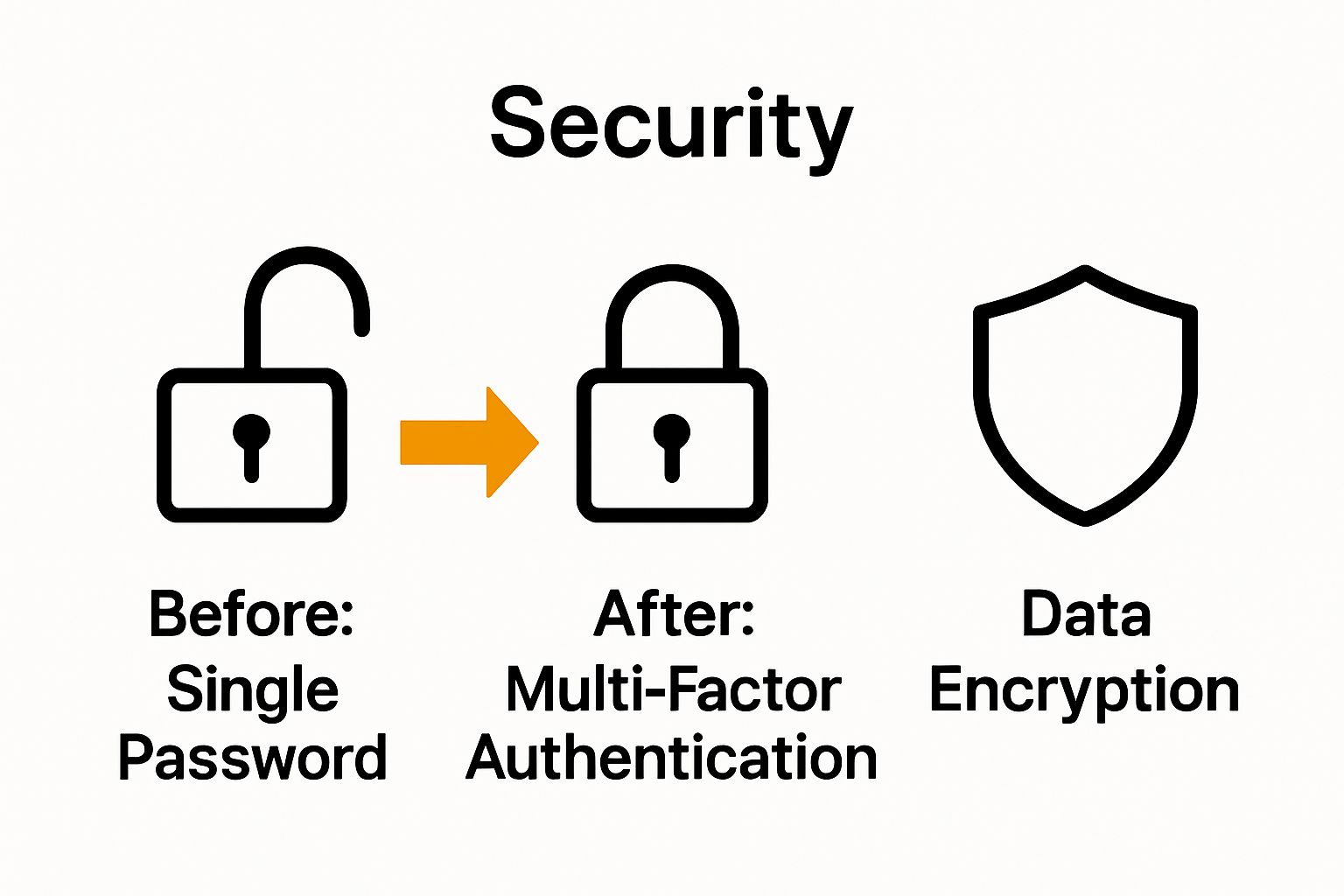
Pay particular attention to user access management. Implement role-based access controls that provide employees with the minimum necessary permissions to complete their work. This principle of least privilege significantly reduces potential internal security risks and limits the potential damage from compromised user credentials.
Cloud security requires special consideration in modern technological environments. Configure secure cloud configurations with strict access controls, implement advanced monitoring tools, and ensure all cloud services undergo rigorous security configuration checks. Encrypt sensitive data before cloud storage and maintain strict control over encryption key management.
Verification involves conducting thorough security testing after implementation. Run comprehensive penetration tests, simulate potential attack scenarios, and continuously monitor your new security infrastructure for potential weaknesses. Create detailed documentation of all implemented security protocols, ensuring that your organisation maintains a clear, updateable record of its security configuration.
Remember that security is not a static destination but an ongoing journey. Your implemented protocols should remain flexible, adaptable, and responsive to emerging technological challenges and evolving threat landscapes.
Human error represents the most significant vulnerability in any IT security checklist. Transforming your workforce from a potential security weakness into a proactive defence mechanism requires comprehensive, engaging, and continuous security awareness training that goes far beyond traditional compliance workshops.
Develop a multi-dimensional training programme that addresses the psychological and practical aspects of cybersecurity. This means creating content that not only teaches technical skills but also helps employees understand the real-world implications of security breaches. Interactive training sessions that simulate actual phishing attempts, social engineering scenarios, and potential cyber threats can make abstract security concepts tangible and memorable.
According to National Cyber Security Centre guidelines, effective security education should cover:
Implement a continuous learning approach that moves beyond annual mandatory training sessions. Develop regular microlearning modules, short video tutorials, and quick digital assessments that keep security awareness fresh and engaging. Consider gamification techniques that reward employees for completing security challenges and demonstrating good digital hygiene practices.
Address the human psychology behind security behaviours by creating a supportive organisational culture that views cybersecurity as a collective responsibility. Encourage open communication about potential security incidents without blame, ensuring employees feel comfortable reporting mistakes or potential vulnerabilities quickly and transparently.
Technology can supplement human training through intelligent monitoring tools that provide real-time feedback. Implement systems that can track potential risky behaviours, offer immediate guidance, and provide personalised learning recommendations based on individual user patterns.
Verification involves conducting periodic simulated security tests, tracking employee performance in identifying potential threats, and measuring the overall effectiveness of your training programme. Develop comprehensive metrics that go beyond completion rates and assess actual behavioural changes and threat recognition capabilities.
Remember that security education is an ongoing dialogue, not a one-time information dump. Your training should evolve continuously, reflecting the dynamic and ever-changing landscape of digital threats and technological challenges.

The cornerstone of a dynamic IT security checklist is continuous evaluation and adaptation. Security is not a static destination but an ongoing journey that requires persistent testing, refinement, and proactive strategy updates to stay ahead of emerging technological threats.
Develop a structured security testing framework that goes beyond traditional periodic assessments. This involves implementing a comprehensive approach that includes multiple layers of testing methodologies, from automated vulnerability scanning to advanced penetration testing and real-world simulation scenarios. Professional security teams should conduct regular comprehensive audits that thoroughly examine every aspect of your technological infrastructure, identifying potential weaknesses before they can be exploited.
According to NIST Cybersecurity Framework, organisations should establish a systematic approach to continuous security improvement that encompasses detection, response, and recovery capabilities. This means creating a flexible security ecosystem that can quickly adapt to new threats and technological changes.
Key testing and update strategies should include:
Threat intelligence plays a crucial role in keeping your security strategies current. Subscribe to professional cybersecurity information sharing platforms, follow industry-specific threat reports, and maintain active connections with cybersecurity professional networks. This approach allows you to anticipate potential emerging threats and proactively adjust your security protocols.
Important technological considerations include maintaining a robust patch management strategy. Develop an automated system that ensures all software, operating systems, and security tools receive timely updates. Create a structured process for evaluating and implementing patches that balances security requirements with operational stability.
Verification involves creating comprehensive documentation of all testing processes, maintaining detailed logs of vulnerability discoveries, and tracking the effectiveness of implemented security improvements. Develop a scoring system that allows you to quantitatively measure your organisation’s security maturity and track progression over time.
Remember that security testing is not about achieving perfection but about continuous improvement. Each test provides valuable insights that help refine and strengthen your overall security posture. Treat every assessment as an opportunity to learn, adapt, and enhance your organisation’s resilience against evolving digital threats.
This table provides a concise checklist of essential security testing and updating activities, along with their recommended frequency and primary aims, to help maintain strong organisational security posture.
| Security Activity | Recommended Frequency | Primary Purpose |
|---|---|---|
| Vulnerability assessment | Quarterly | Identify system weaknesses |
| Penetration testing | Annually | Simulate real-world cyber attacks |
| Automated security scans | Monthly | Detect threats and anomalies |
| Threat intelligence monitoring | Real-time/Continuous | Stay informed on latest risks |
| Patch management and updates | Ongoing | Address software vulnerabilities promptly |
Most businesses face the same frustrations: evolving cyber threats, gaps in security protocols, and the constant challenge of keeping employees informed on best practices. This article highlights the importance of a living IT security checklist, from identifying your assets and data sensitivity, to training your staff, and regularly testing your defences. If reading about multi-layered architecture and ongoing vulnerability assessments has made you question your current protection, you are not alone. Many companies struggle with staying ahead, especially when stretched for time or expertise.
Discover how the experts at Cyber Security Archives – J700 Group have helped businesses in Lancashire and the North West close those risk gaps. Our team specialises in rigorous asset identification, realistic penetration testing, robust cloud configurations, and staff training tailored to SMEs. Stop letting security uncertainty disrupt your focus and finances.

Take the first step now. Connect with your local IT support specialists at J700 Group. Book a free consultation today for a tailored security assessment and practical solutions. True peace of mind, ongoing protection, and a proactive approach to IT security are just one click away. Do not wait until a breach makes the decision for you.
You can identify your IT assets by conducting a thorough inventory of all devices connected to your network, including computers, servers, and mobile devices. Create a detailed list that incorporates serial numbers, purchase dates, and current configurations, then classify your data into sensitivity tiers like public, internal, and confidential.
Begin by performing a comprehensive security audit that evaluates your existing protocols, user access controls, and network configurations. Use automated scanning tools combined with manual reviews to pinpoint vulnerabilities, and document any weaknesses to develop targeted remediation strategies within the next 30 days.
Implement a multi-layered security architecture, including advanced firewalls, intrusion detection systems, and comprehensive encryption for data. Focus on user access management by applying role-based access controls to ensure employees only have permissions necessary for their roles, and establish this within 60 days.
Create an engaging training programme that includes interactive sessions to teach employees about recognising phishing attempts and creating strong passwords. Ensure training is ongoing by developing regular short modules or quizzes that continuously reinforce security awareness and address new threats.
Establish a structured security testing framework that includes quarterly vulnerability assessments and annual penetration testing. Regularly update your security protocols based on test results and emerging threats, aiming to revise your strategies at least every quarter to stay ahead of potential cyber risks.
Threat intelligence is crucial for anticipating and preparing for potential cyber threats. Subscribe to relevant reports and actively engage in cybersecurity networks to gather insights that can help adapt your security measures quickly and effectively, ideally updating your strategies within the first week of acquiring new intelligence.
For years, businesses protected their data like a medieval castle: build a thick wall (a…
Read More
For many small and medium-sized businesses, cybersecurity is still viewed as an IT problem. Firewalls,…
Read More
Cloud technology is no longer a luxury or a cost-saving alternative to on-site servers. For…
Read More
Remember when we jokingly wondered if Apple was borrowing our name? Well, the rumours were…
Read More
AI hasn’t just changed the way we work, it has completely rewritten the rulebook for…
Read More
For many businesses, the office phone is like part of the furniture, it’s always there,…
Read More
We are thrilled to announce a significant milestone in the J700 Group journey. To keep…
Read More
For years, many small and medium-sized business owners in the North West have operated under…
Read More
In a modern healthcare setting, the stethoscope and the blood pressure cuff aren’t the only…
Read More
When people hear the word cybersecurity, they often imagine complex systems, expensive software and specialist…
Read More
As we count down to midnight, most of us are thinking about gym memberships or…
Read More
It’s Christmas Eve in Lancashire. The Preston bypass is a nightmare, the last-minute dash to…
Read More
For many businesses, the Christmas period means quieter offices, reduced staffing and systems left running…
Read More
Or: Why we’d like to have a word with Tim Cook this Christmas. There are…
Read More
Hackers Love Christmas: Learn Why your Business Could be at Risk This Holiday SeasonThe festive…
Read More
In recent months, high-profile companies like Land Rover and Co-op have made headlines due to…
Read More
Explore 7 essential tips for effective cloud solutions comparison to find the best fit for…
Read More
Learn how to secure business data for UK SMEs with this step-by-step guide focused on…
Read More
Cybersecurity basics explained for UK businesses—core concepts, major threats, essential safeguards, and compliance requirements. A…
Read More
Discover the essential role of IT support desks, core functions, key benefits, types of support,…
Read More
Discover 10 microsoft 365 alternatives for UK SMEs, comparing features and benefits to help your…
Read More
Discover the best microsoft 365 alternatives in our comparison of 10 top products to enhance…
Read More
Discover a business connectivity checklist with 7 actionable steps to boost IT reliability, security, and…
Read More
Discover 7 essential business continuity planning steps to protect your SME. Learn practical strategies for…
Read More
Small Business Office 365 comprehensive guide for UK SMEs: core features, setup process, security essentials,…
Read More
Small Business Office 365 guide for UK firms. Learn core features, setup, security, costs, and…
Read More
Small business Office 365 guide covering essential features, security, costs, local support, and practical benefits…
Read More
Follow this cybersecurity checklist for SMEs to secure your business in Lancashire and Manchester. Step-by-step…
Read More
Follow this cybersecurity checklist for SMEs to boost protection, reduce risks, and secure business data…
Read More
Cloud security explained: A comprehensive guide for UK businesses covering threat types, protection strategies, compliance,…
Read More
Data protection strategies for UK SMEs—types, key components, GDPR compliance, business risks, and best practices…
Read More
Why cybersecurity matters for UK businesses: core concepts, main risks, common threats, legal requirements, and…
Read More
Comprehensive guide to IT issues Lancashire businesses face, including security threats, system downtime, cloud solutions,…
Read More
Comprehensive guide on cyber security threats in the UK. Learn common types, key characteristics, real-world…
Read More
Follow this IT security checklist for a step-by-step process to secure your business effectively in…
Read More
Explore the benefits of managed IT services for businesses in Manchester and Lancashire, enhancing efficiency…
Read More
Explore the role of cybersecurity in business. Understand its importance, how it works, and key…
Read More
Discover 7 key advantages of Microsoft 365 for SMEs that can enhance productivity, collaboration, and…
Read More
Explore why use managed IT services and how they benefit businesses. Gain comprehensive insights on…
Read More
Comprehensive guide explaining cyber threats, focusing on their importance, how they work, and the key…
Read More